Daily workflow
Six steps per paper.
1. Capture
Browser → click the Zotero Connector button on the paper page. Zotero saves metadata and PDF.
2. Read & annotate
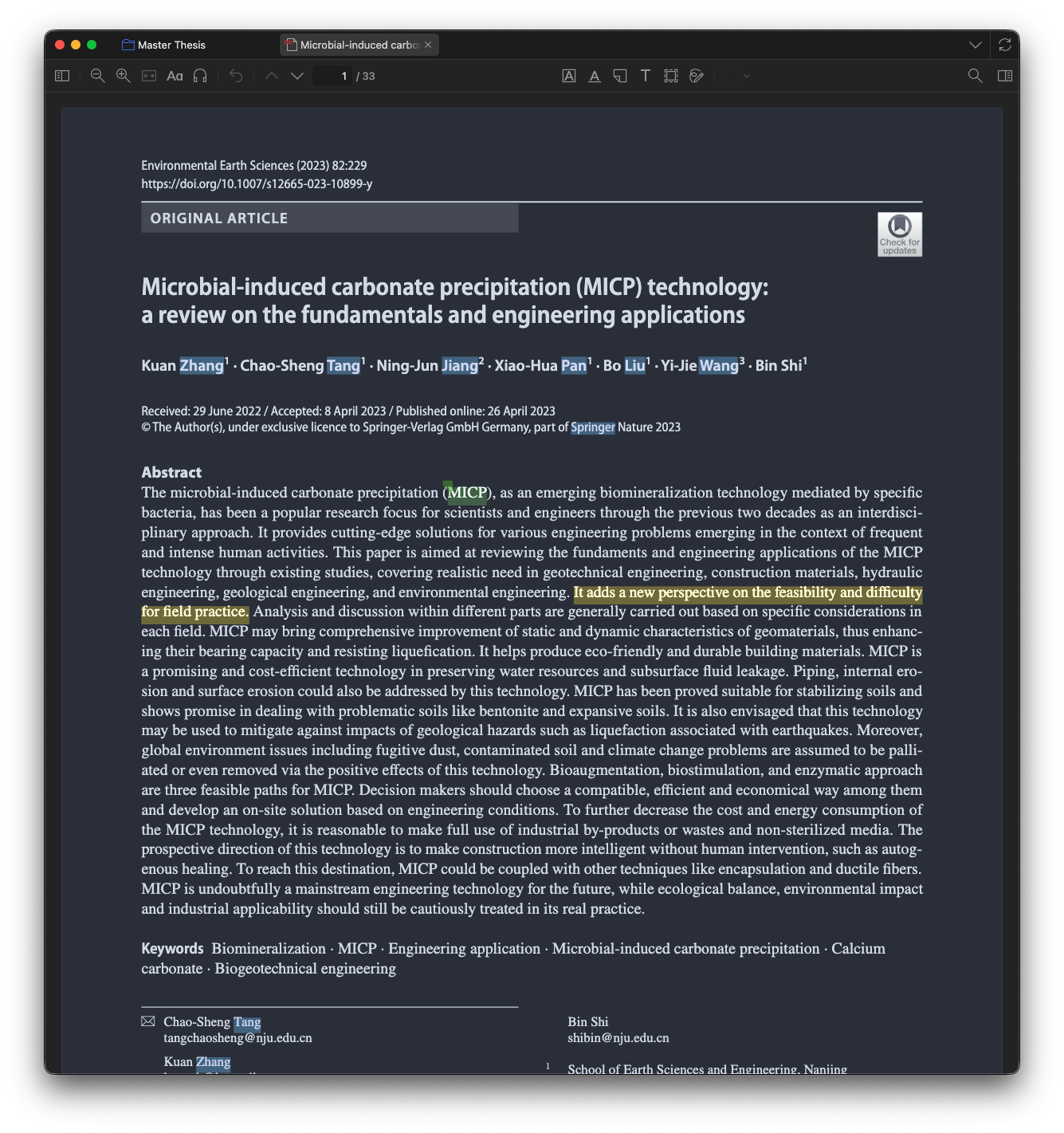
Open the PDF in Zotero. Highlight:
- Yellow for claims, facts, useful prose.
- Green for terms and definitions to remember.
- Blue for figures, tables, and other media worth revisiting.
Add inline comments to highlights for reactions or open questions.
3. Import to Obsidian
Cmd+Shift+I (or Option+T → Import Paper from Zotero) → search title → Enter.
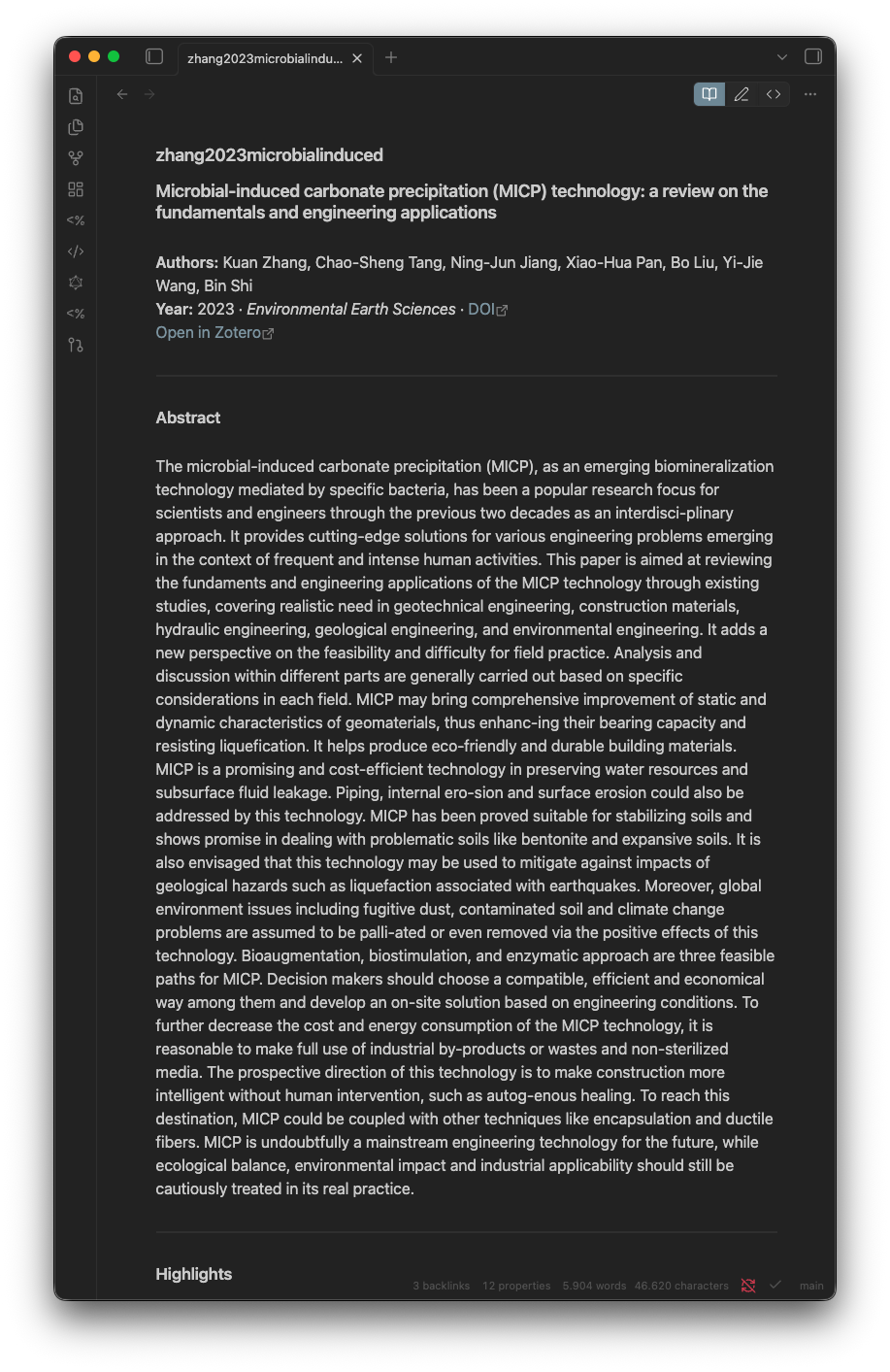
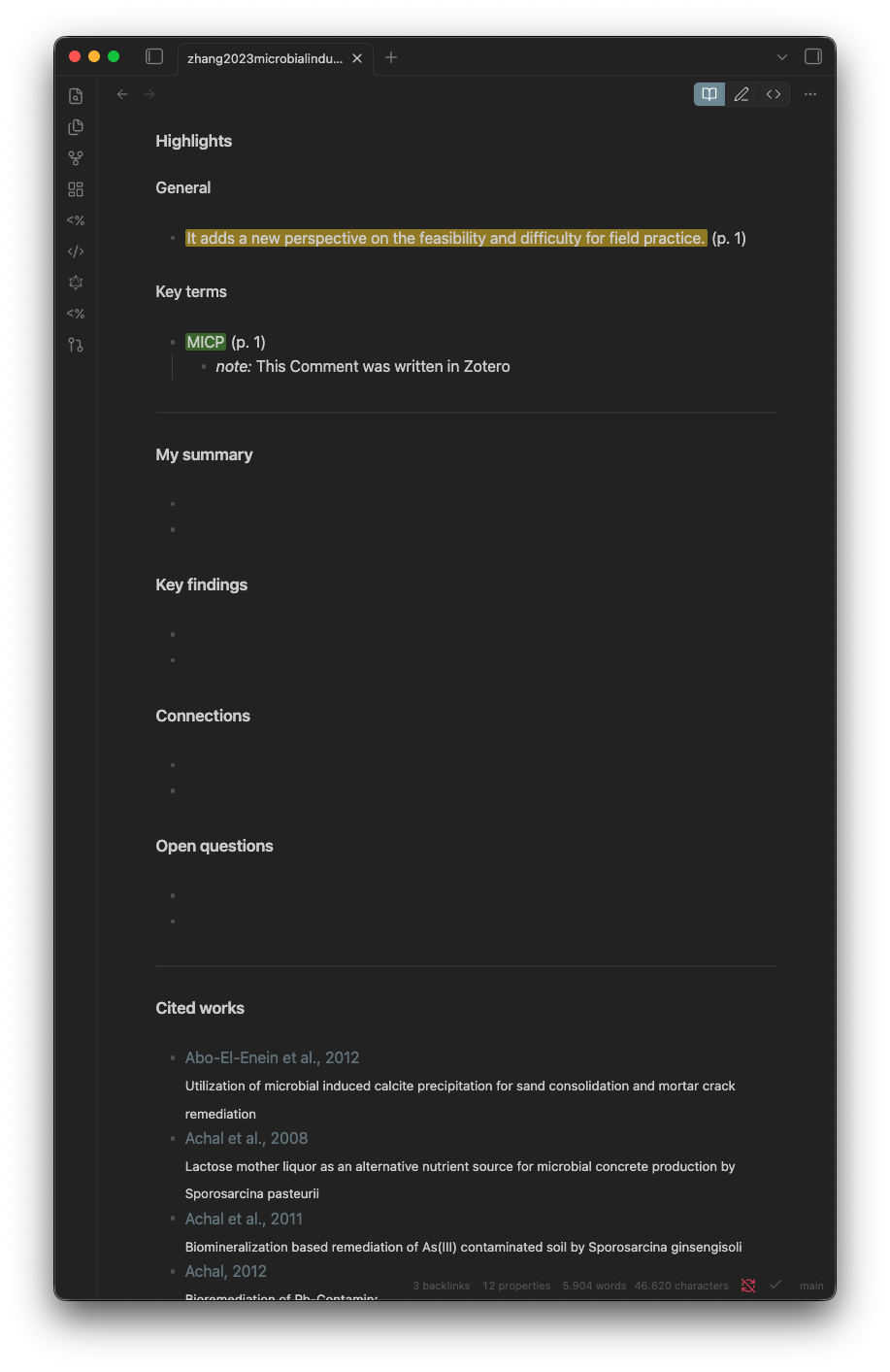
Creates 1 Literature/.md with metadata, an abstract, highlights split by colour (General / Key terms / Media), a reading-status tag, and empty synthesis blocks.
Optional. Run Refresh TOC (Launcher) to pull the PDFs table of contents into the note. Once a note has a TOC, Refresh All Literature also regroups its highlights under the matching chapter headings. Needs the one-time helper venv.
4. Synthesise
Fill the persist blocks in your own words:
| Block | Content |
|---|---|
| Summary | 3–5 sentences: what the paper does |
| Key findings | bulleted concrete results |
| Connections | wikilinks to other papers and concept notes |
| Open questions | what you did not understand, what to investigate |
Highlights are raw input. The synthesis is yours, and it survives Zotero re-imports.
Tip. When a green-highlighted key term deserves its own atomic note, select it and run Promote selection to concept note from the Launcher. One keystroke creates
2 Wiki/Concept Notes/<term>.mdfrom the Concept Note template and replaces the selection with[[<term>]]. See Templater commands for details.
Mark where the paper stands with Set Reading Status (Launcher) — to-read, skimmed, referenced, or fully-read. The Reading Queue dashboard groups your whole library by that status, so nothing stays half-read by accident.
5. Cite in your draft
Draft your chapters in 3 Writing/. The Draft Section Block template gives each section a heading plus collapsible callouts for sources, open decisions, and a changelog.
As you write, type citations in plain (Author Year) form, then run Link In-Text Citations (Launcher) to turn them into [[wikilinks]] that resolve to your paper notes via their aliases.
When you move text into the final document:
Word: Zotero toolbar → Add Citation → search → insert. LaTeX: \parencite{citekey}. Same citekey thats in Obsidian.
6. Backup
Nothing manual. Obsidian Git auto-commits every 30 minutes and pushes to your private GitHub repo.