The vault
The BibFlow vault has a fixed structure. Each folder has one role; the numeric prefixes hold the order in Obsidians file pane.
Folder layout
| Folder | Holds |
|---|---|
0 Meta/Library/ | dashboards over your library + Python helpers (auto-refreshed) |
0 Meta/Planning/ | hand-edited project material (Roadmap, supervisor brief) |
1 Literature/ | one note per paper, named by its citekey |
2 Wiki/Concept Notes/ | atomic ideas linked from many papers |
2 Wiki/Method Notes/ | protocols, procedures, recipes |
3 Writing/ | drafts and exported chapters (start sections from the Draft Section Block template) |
7 Experiment Notes/ | lab or empirical work (rename if not relevant) |
8 Meeting Notes/ | supervisor and reading-group notes |
9 Orga/ | templates, Templater commands, and tp.user helper scripts — never edited by hand |
Navigating with wikilinks
Type [[ anywhere; Obsidian autocompletes from existing notes. [[chuo2020insights]] jumps to that paper note; [[MICP]] jumps to the concept note. The Backlinks pane (right sidebar) shows everything that links back to the open note — instant context.
Graph view
The right sidebars graph icon opens the local graph for the active note: which papers it cites, which concept notes it touches.
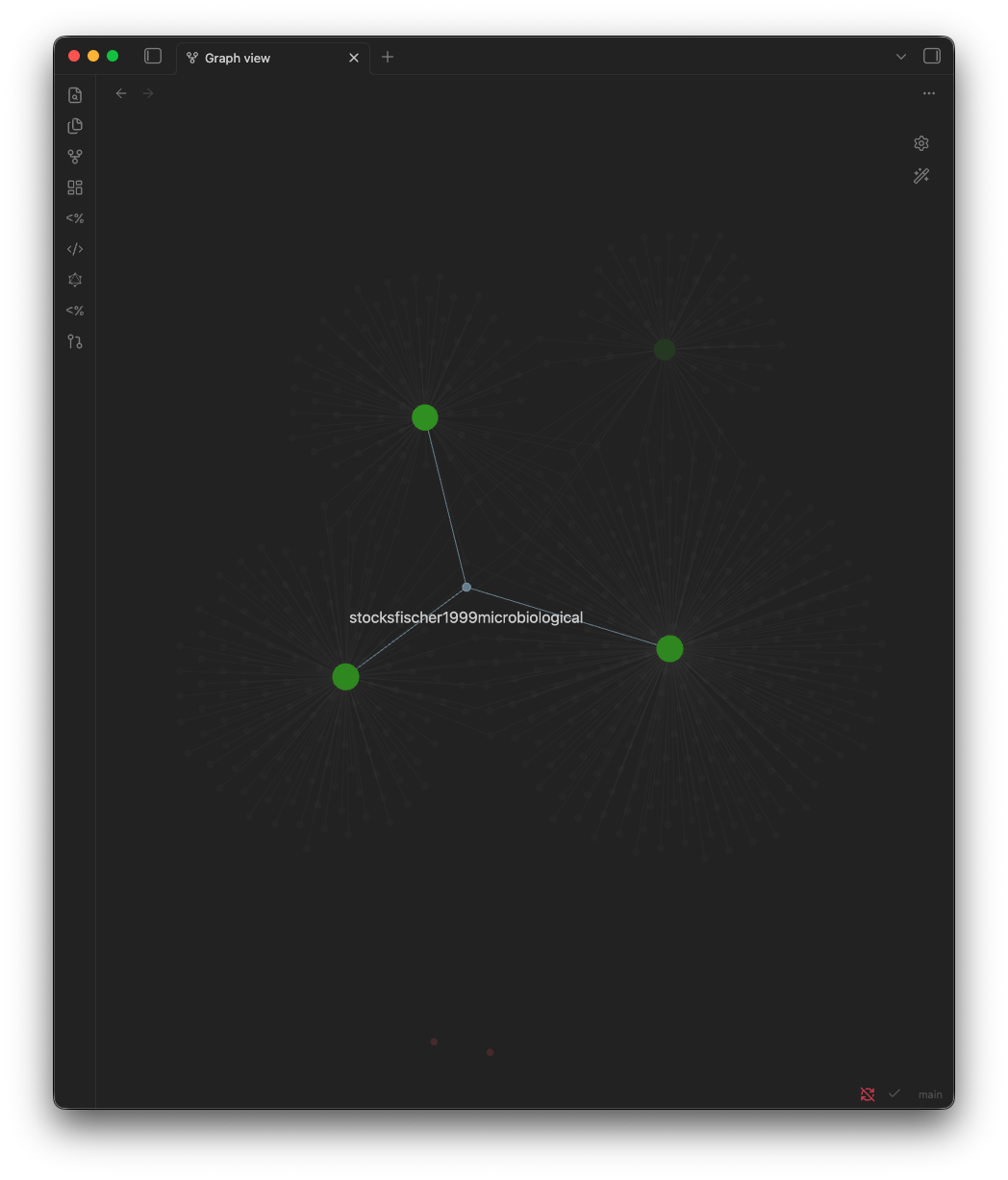
The left ribbons graph icon opens the global graph view for the whole vault.
Each literature note ends with a ## Cited works list of the papers it references, populated by Fetch References (fetch_references.py). Every entry is a wikilink, so the note’s local graph and Backlinks pane fill in automatically — and references shared across several papers surface in Shared References.
Search
| Shortcut | What it does |
|---|---|
| Cmd+O | jump to a note by name |
| Cmd+Shift+F | full-text search across the vault |
| Cmd+P | command palette (any Obsidian or plugin command) |
| Option+T | the BibFlow Launcher (Templater commands) |
Control notes (the 0 Meta/ folder)
These are dashboards, not content. They auto-populate from your literature notes — open them for a birds-eye view of your library.
Roadmap
Mermaid Gantt chart of your thesis timeline plus a milestone checklist. Built from a single fenced gantt code block — no plugin needed; Obsidian renders Mermaid natively. Edit start dates and durations as the project shifts; chained tasks (after <id>) recalculate automatically.
Best treated as a high-level navigator. For week-by-week task tracking, layer the Tasks plugin on top.
Literature Index
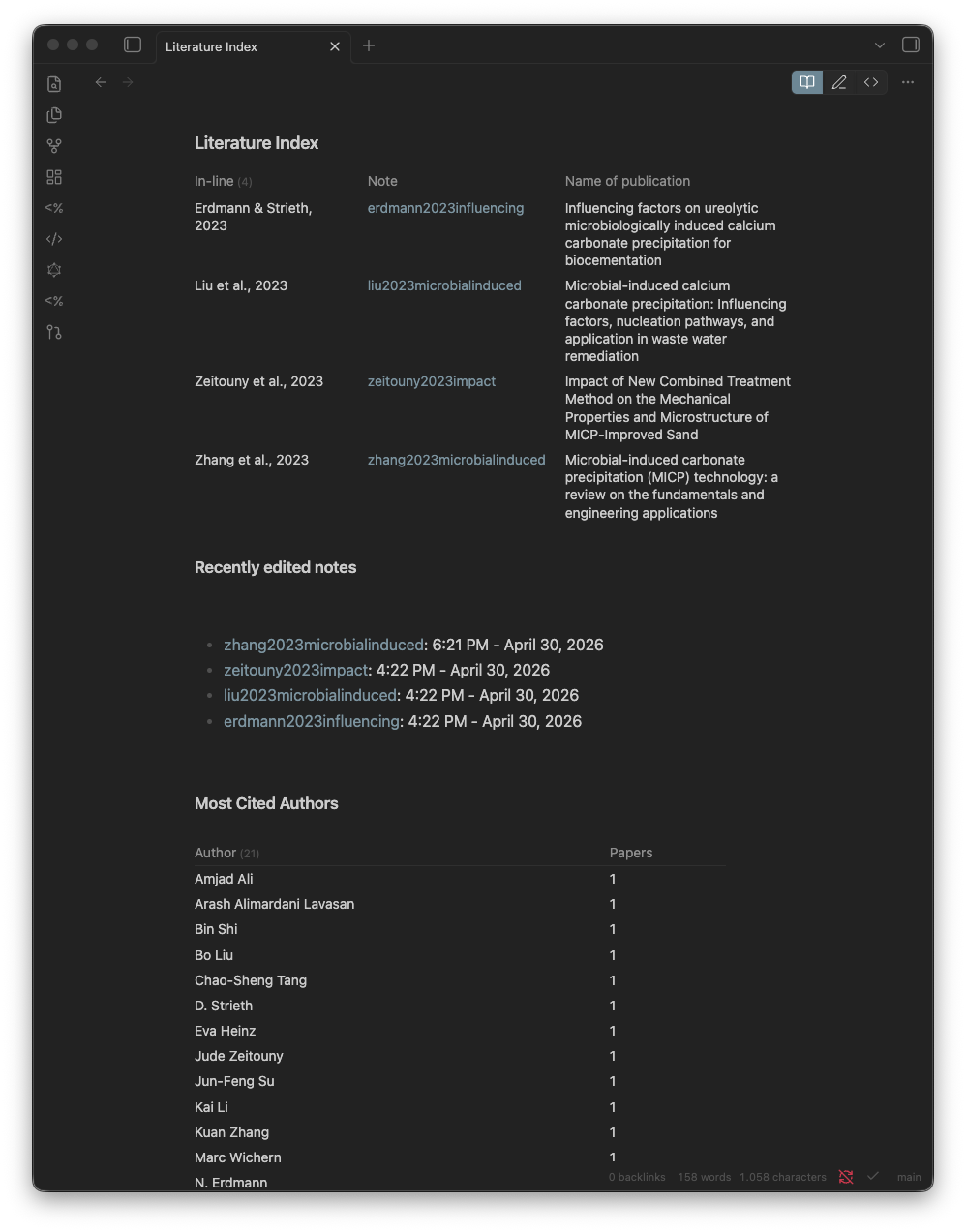
Dataview-rendered list of every note in 1 Literature/ with year, journal, and intext citation. Answers “what have I read on X” without grep.
Reading Queue
The same library, grouped by reading status instead of by name. Every paper in 1 Literature/ lands in one of to-read, skimmed, referenced, or fully-read — plus an Unset bucket so newly imported papers never slip through. Set a paper’s status with Set Reading Status (Launcher); the board re-counts on its own. A live answer to “what’s left to read?”.
Paper Metrics
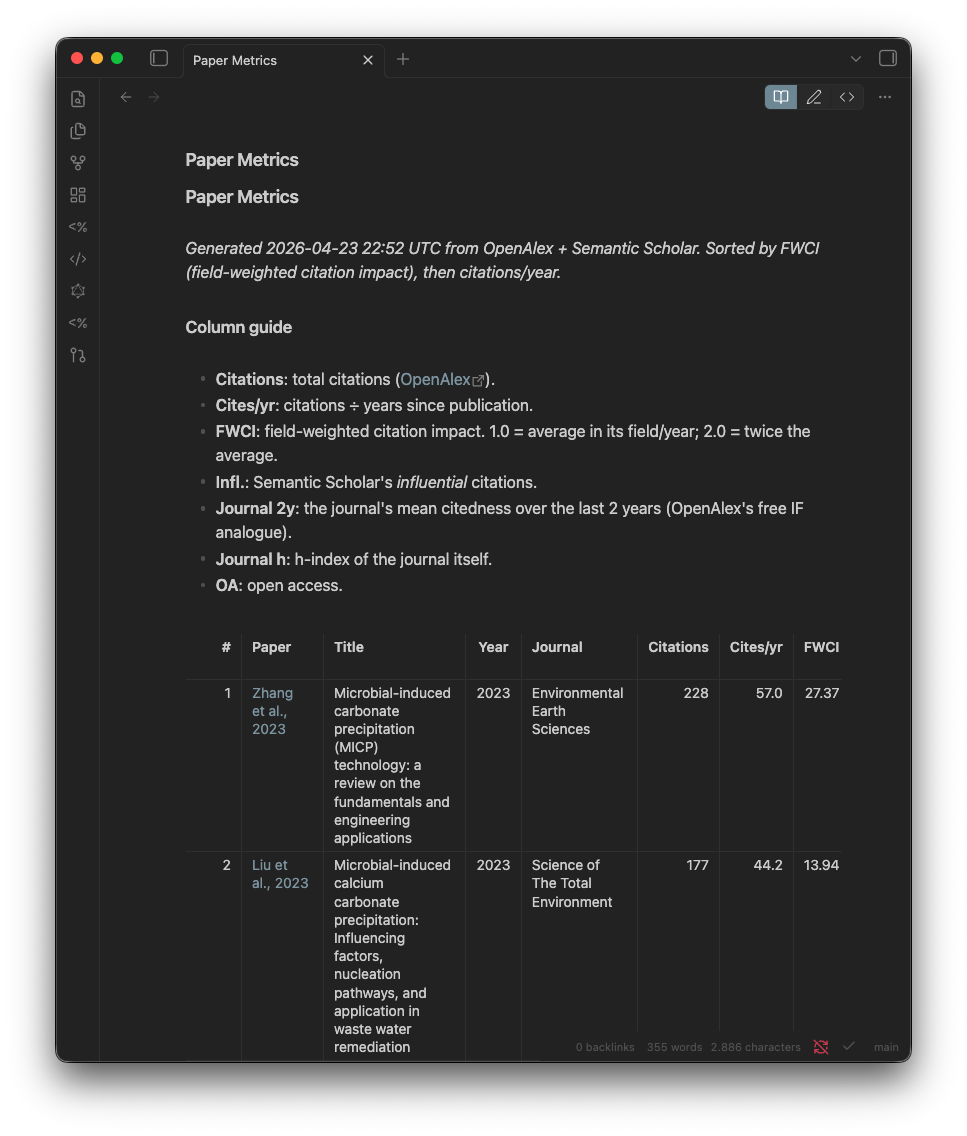
Sortable table of citation counts, FWCI, journal h-index, and open-access status for every paper in your library. Generated by fetch_metrics.py; refresh via Launcher → Refresh Paper Metrics. A fast way to see which papers in your set are most cited in their field.
Shared References
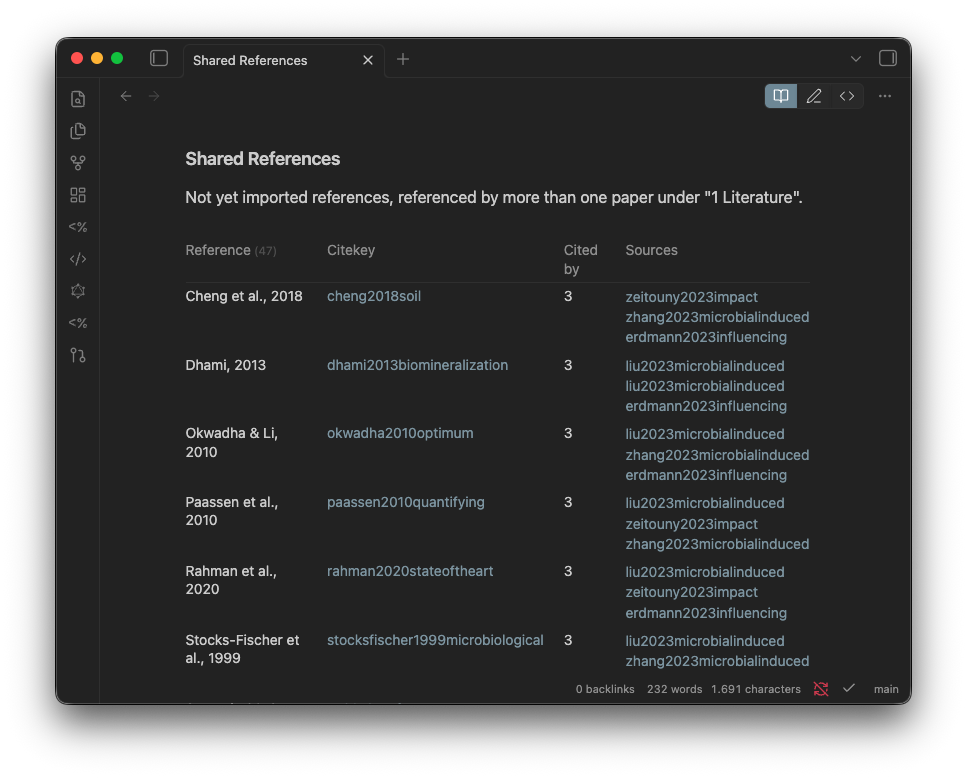
Papers cited by 2 or more of your literature notes — i.e. references that keep showing up across your reading. A reliable signal for foundational works you have not read yet. Click any unresolved entry to create that literature note instantly.
The same shared-references signal is also visible in the global graph view:
Glossary
Dataview-rendered list of all concept notes in 2 Wiki/Concept Notes/, showing each terms one-line definition.
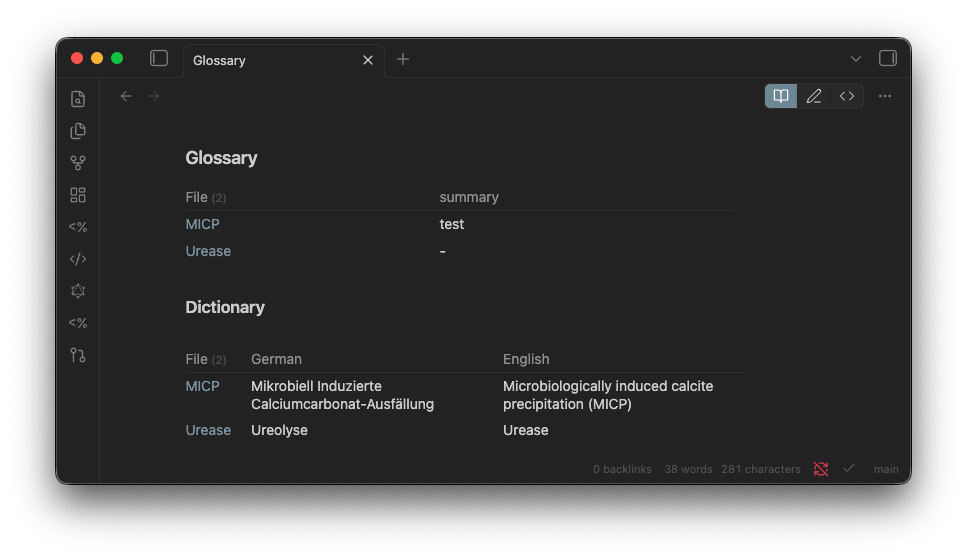
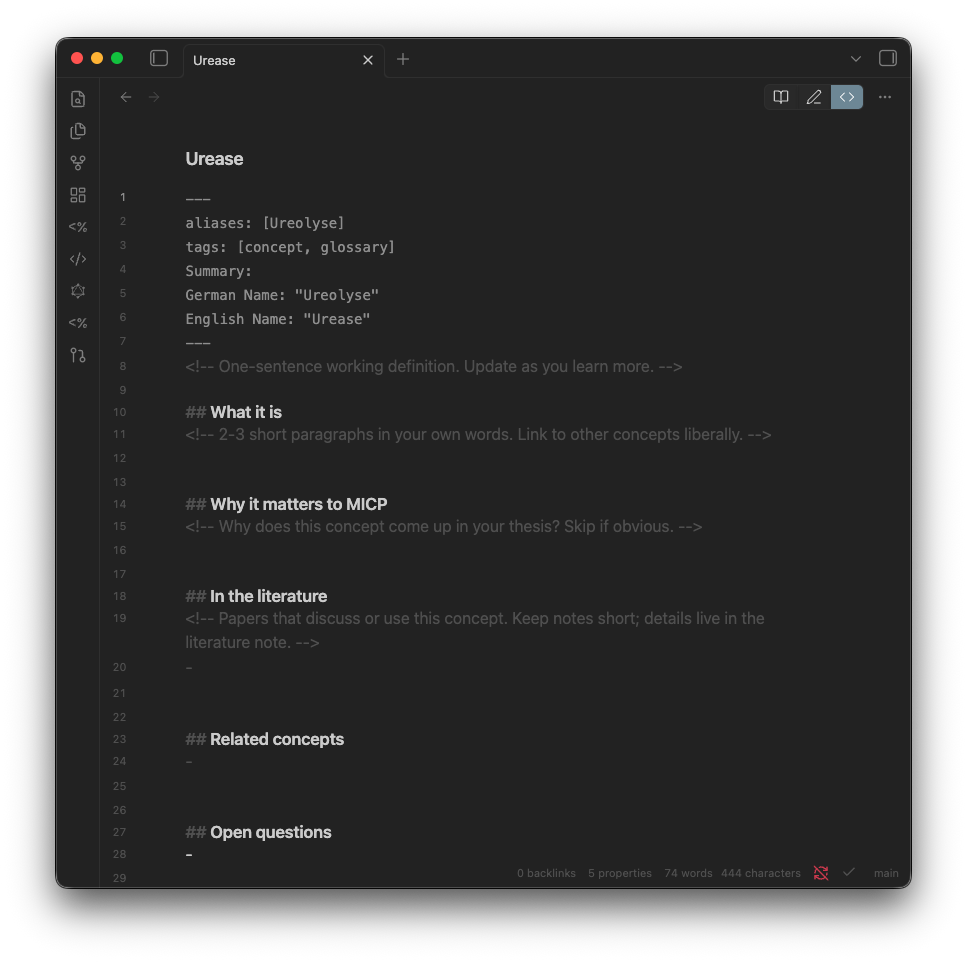
Each row in the Glossary table is sourced from one concept note in 2 Wiki/Concept Notes/. A concept note looks like this:
Paper Search (experimental)
OpenAlex-backed keyword search. Define keyword and filter blocks in this notes ## Section headers; run Launcher → Paper Search; ranked results land between auto-generated markers under each section. See Templater commands for caveats and limitations.